How to Enabling Wazuh Security Compliance for a Node?
Follow the steps below to enable and configure Wazuh security compliance on your node.
Step 1: Enable Security Compliance from MyAccount
- Log in to your MyAccount portal.
- Navigate to the Nodes section.
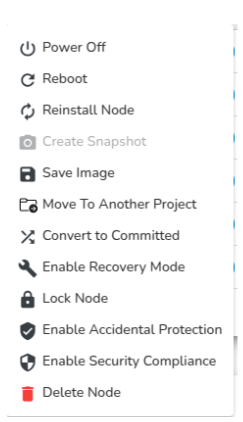
- Locate your target node and click on the Actions dropdown.
- Select Enable Security Compliance.
- A confirmation prompt will appear – click Confirm to proceed.
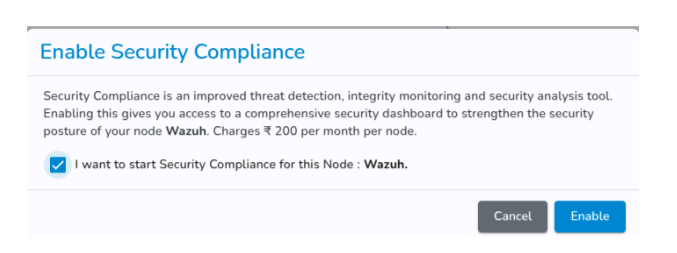
Click on Enable.
Step 2: Install the Security Compliance Agent on the Node
-
Once security compliance is enabled, SSH (Linux/macOS) or RDP (Windows) into your node.
-
An agent installation command will be displayed in the MyAccount portal.
-
Copy and execute the command on your node to install and register the agent with the Security Compliance Manager.
Step 3: View the Security Compliance Dashboard
-
After successful agent installation, return to the MyAccount portal.
-
Click on the node name to open its details.
-
Select Security Compliance Dashboard to view:
- Real-time security insights.
- Alerts and threat detection events.
- Compliance status for your node

Security Compliance Tool Overview
Introduction
The Security Compliance Tool is a free, open-source security platform for threat detection, compliance monitoring, and incident response. It provides unified SIEM (Security Information and Event Management) capabilities by combining:
-
Log analysis.
-
Intrusion detection.
-
Vulnerability detection.
-
File integrity monitoring.
Dashboard Overview
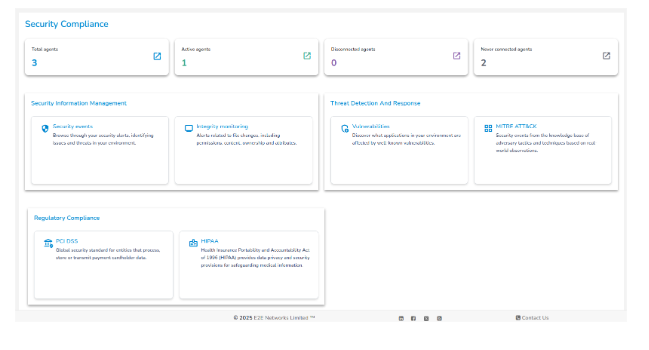
Agent Summary
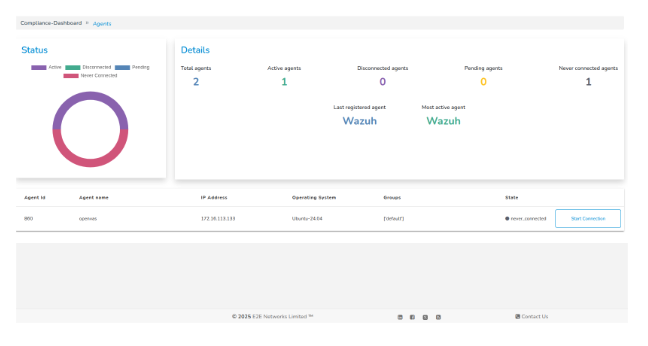
- Total Agents – Number of agents registered with the Security Compliance Manager.
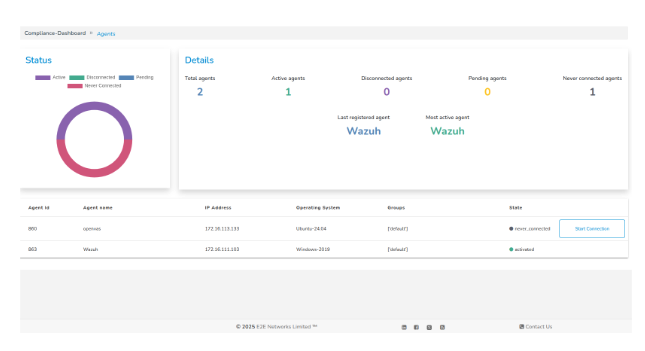
- Active Agents – Agents currently connected and reporting data.
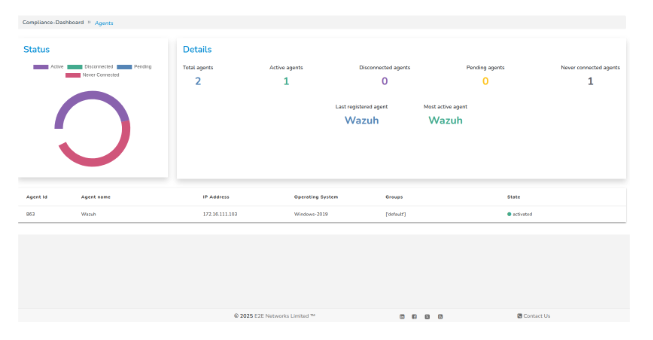
- Disconnected Agents - Agents that were previously connected but are currently unreachable.
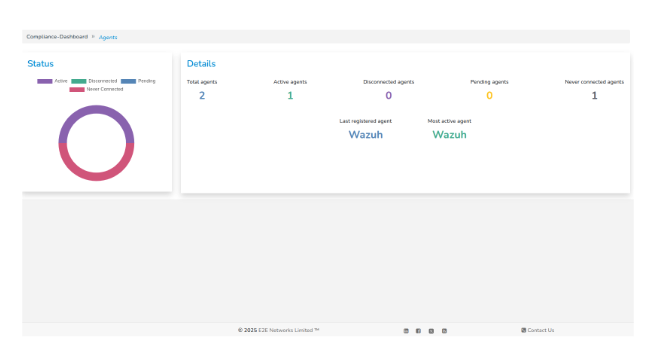
- Never Connected Agents – Agents registered but never established a connection.
Security Information Management (SIM)
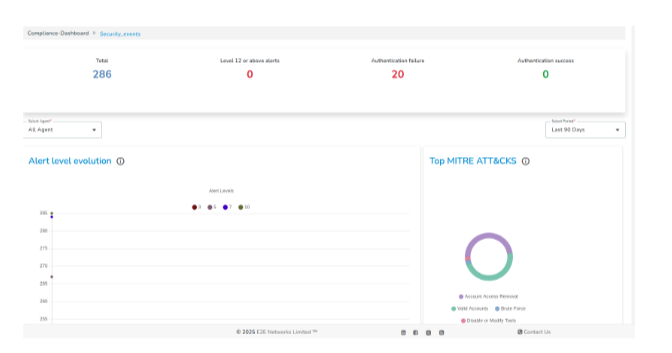
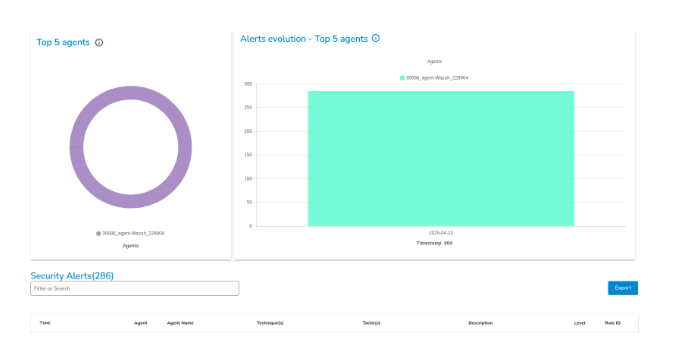
Security Events & Log Analysis.
The tool collects and parses logs from multiple sources, including:
-
Syslog, journald, Windows Event Logs.
-
Firewalls, antivirus, and endpoint protection tools.
Logs are normalized, matched against rules, and analyzed to detect anomalies and generate alerts.
File Integrity Monitoring (FIM)
Monitors files and directories for changes such as:
-
Creation, deletion, or modification.
-
Permission changes.
-
Tampering attempts.
Features:
-
Real-time change detection.
-
Cryptographic checksums.
-
Common use case: Monitoring critical system and configuration files.
Threat Detection and Response
-
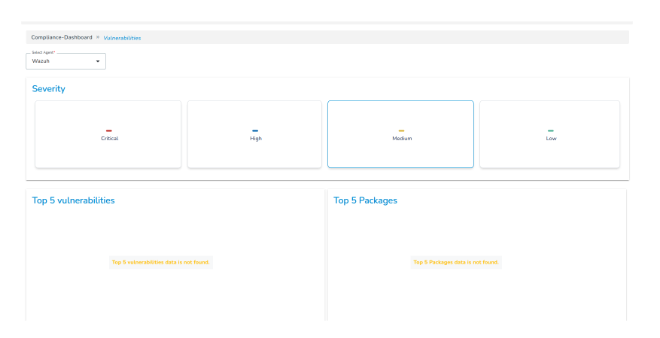
Vulnerability Detection
-
Scans installed packages and services against vulnerability databases (e.g., NVD).
-
Identifies known CVEs on endpoints.
-
Supports OVAL, OpenSCAP, and third-party integrations.
-
MITRE ATT&CK Mapping
-
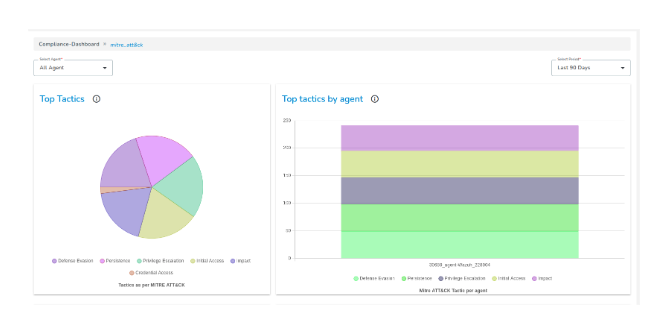
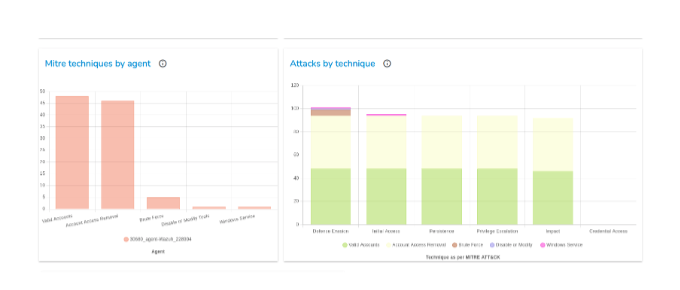
Maps alerts to MITRE ATT&CK Tactics & Techniques.
-
Helps understand adversary behavior.
-
Provides visualizations of attack tactics on the dashboard.
Regulatory Compliance
The Security Compliance Tool provides built-in policies and rules to support compliance with industry standards:
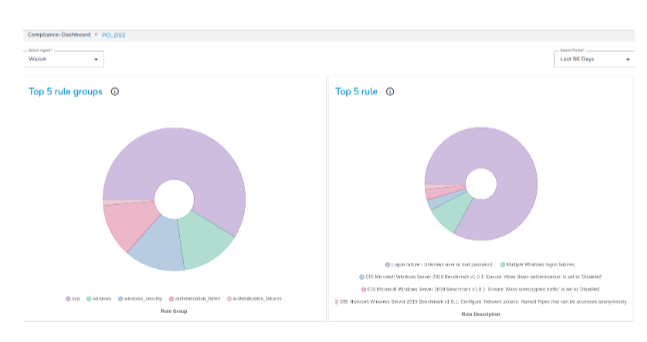
- PCI DSS – Monitors cardholder data environment, access controls, audit logs, and intrusion attempts.
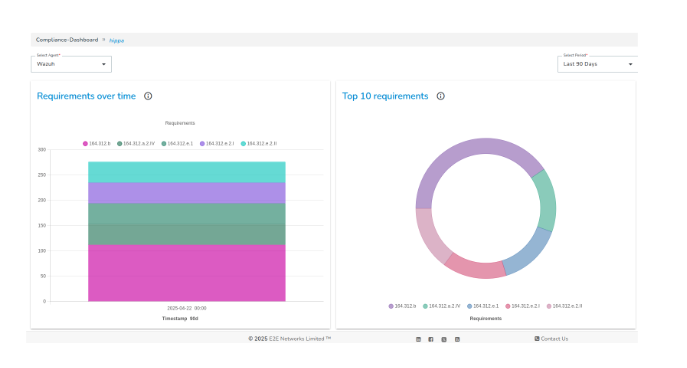
- HIPAA – Ensures security of healthcare data, access logging, integrity monitoring, and unauthorized activity alerts.
Once enabled, the Security Compliance Tool continuously monitors your node to ensure security visibility, regulatory compliance, and proactive threat detection.