Export Volume
Exporting a volume on the E2E Cloud Platform allows you to securely move your data across regions. By transferring your volume to an Object Storage bucket in another region, you can seamlessly export and reuse it as needed. This guide walks you through the prerequisites and steps to successfully export a volume to a different region on the E2E Cloud Platform.
Prerequisites for exporting an volume to E2E Cloud-Platform
-
Click on Volume.

-
Click on Create Volume
-
Create the Volume.
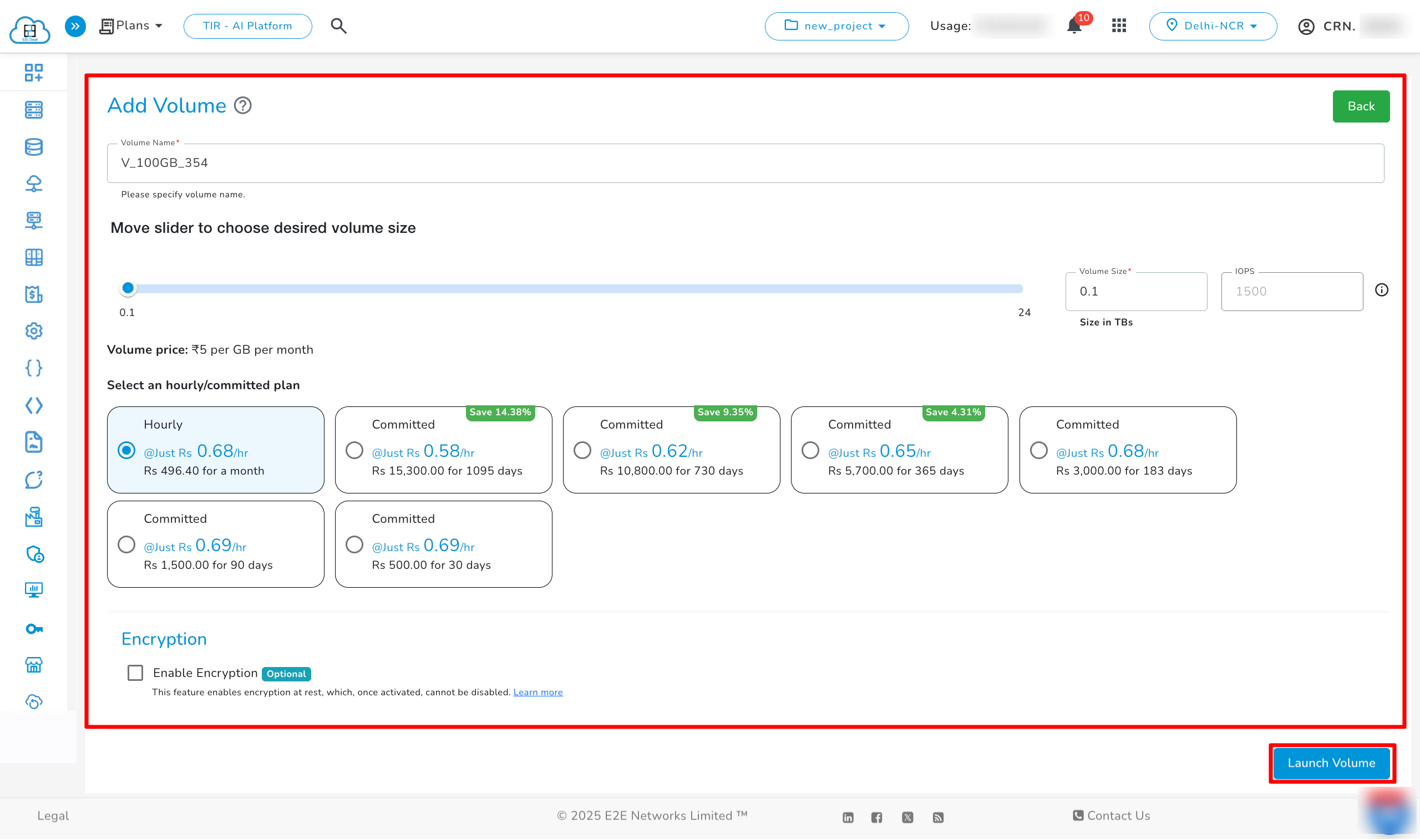
- Once the plan has been selected, enter the Volume name, select the Volume size,Enable Encryption is Optional and then click on the Launch Volume button to create the volume. Once Volume status will change to Available Status, and you will now be able to export volume to object
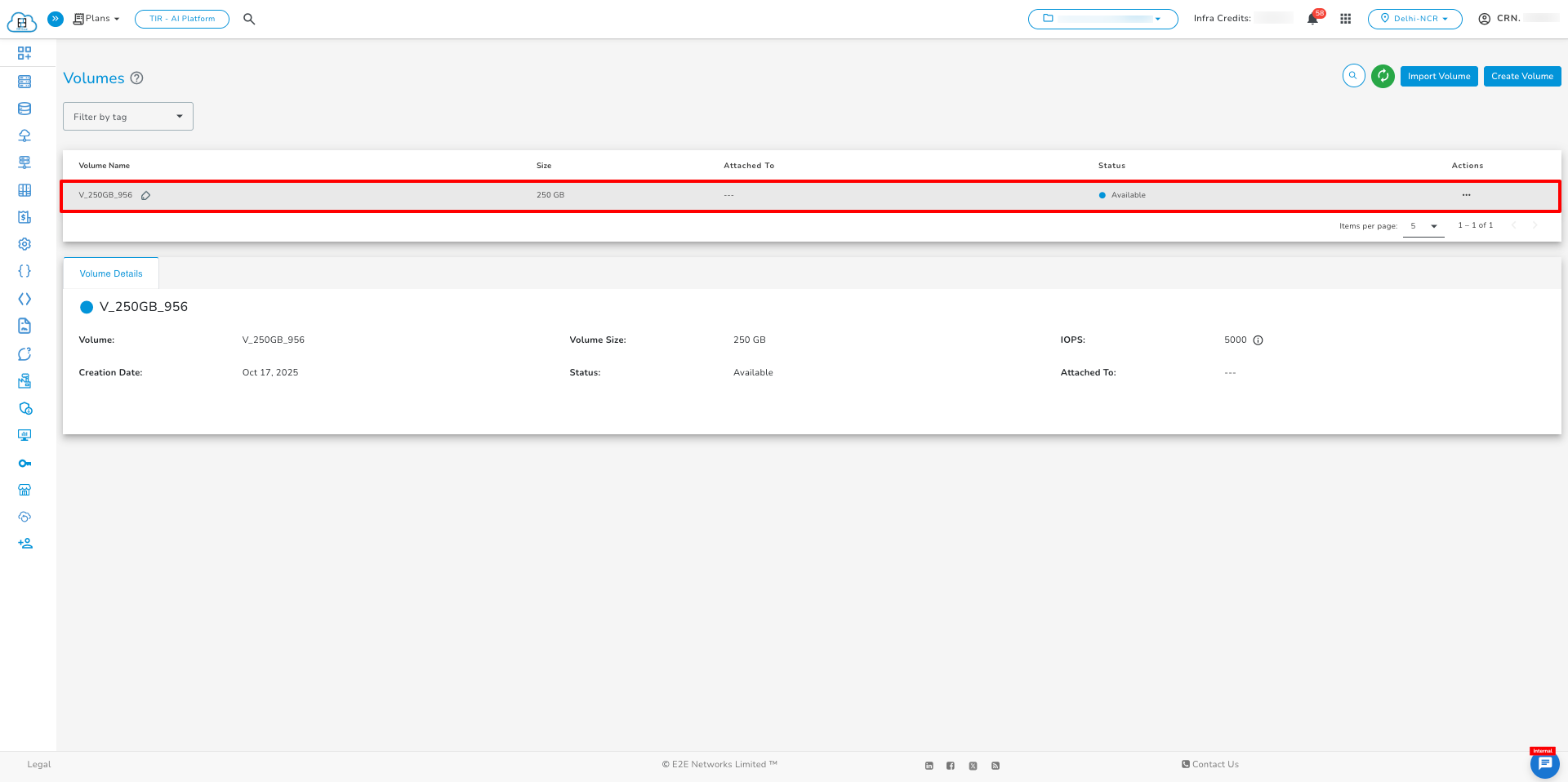
- Once the Volume come in Available state and then click on Export To Object Storage in Actions section of Volume.
Note
-
The Export Volume feature is currently available only in the Delhi region and not in the Chennai regions.
-
The user can export the volume from the Delhi region to the Chennai regions.
-
The Export Volume feature is currently not available for encrypted volumes.
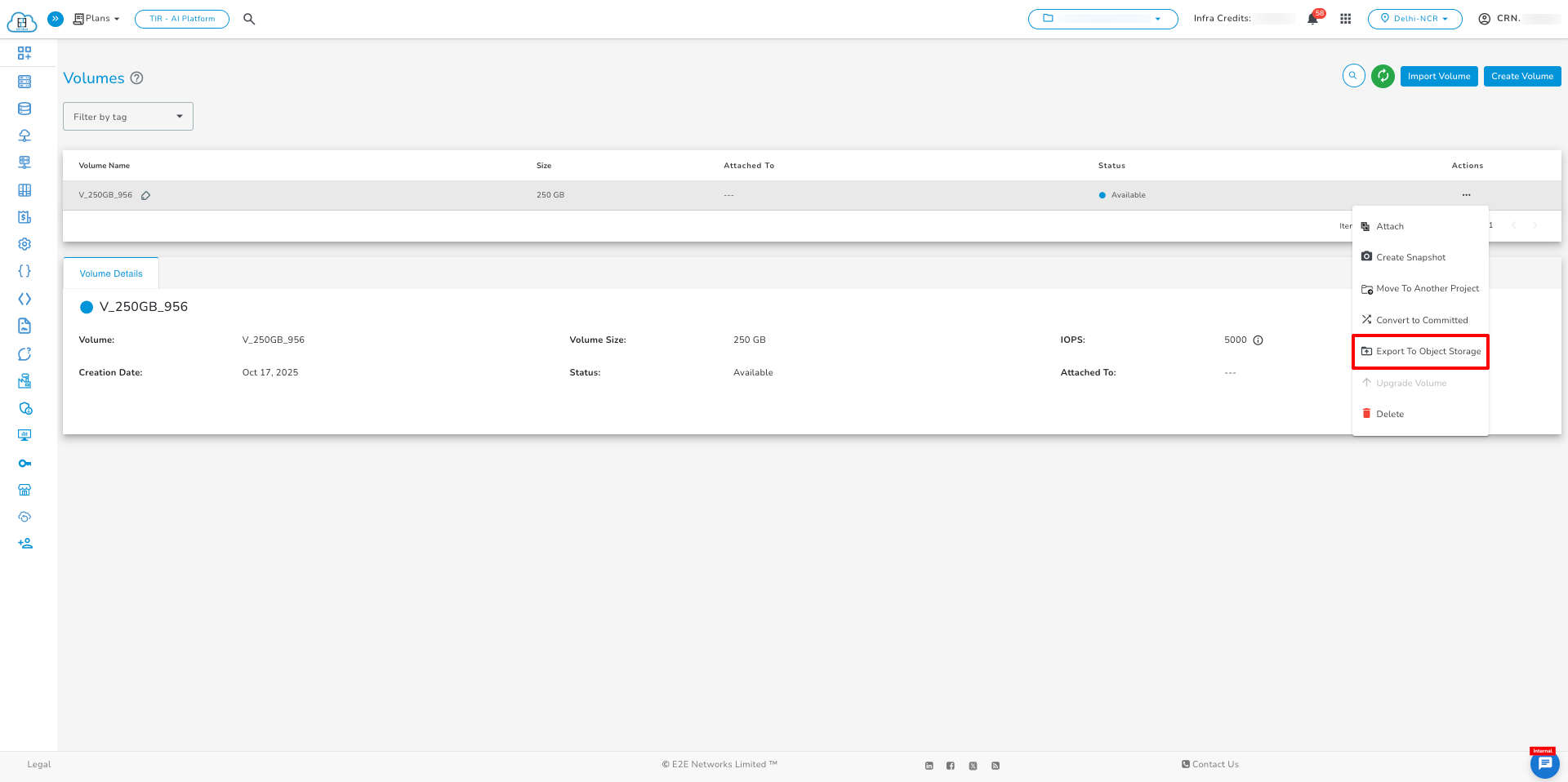
- Select the Region and Bucket Name, enter the Access Key and Secret Key of the bucket, and then click on Confirm.
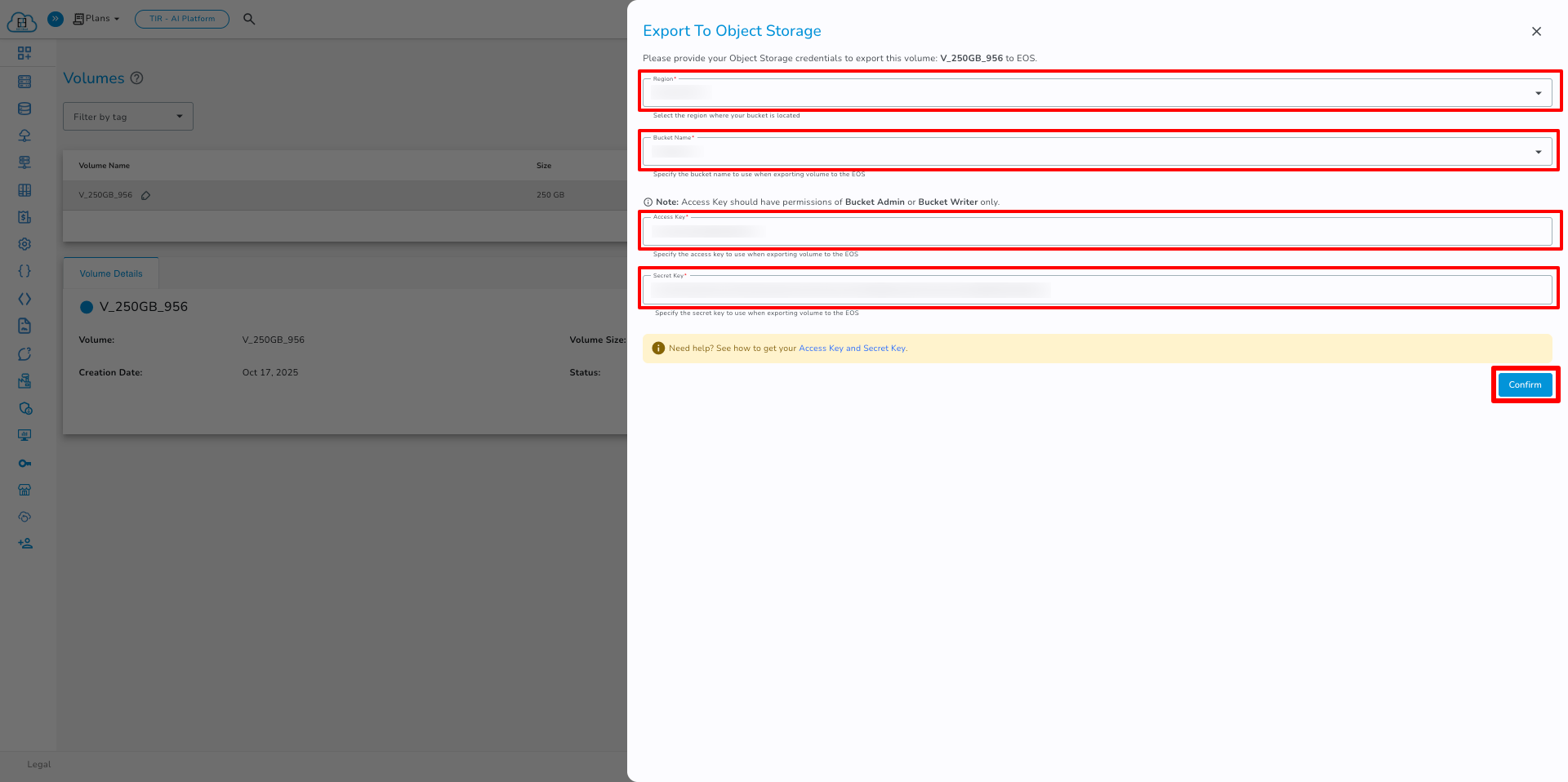
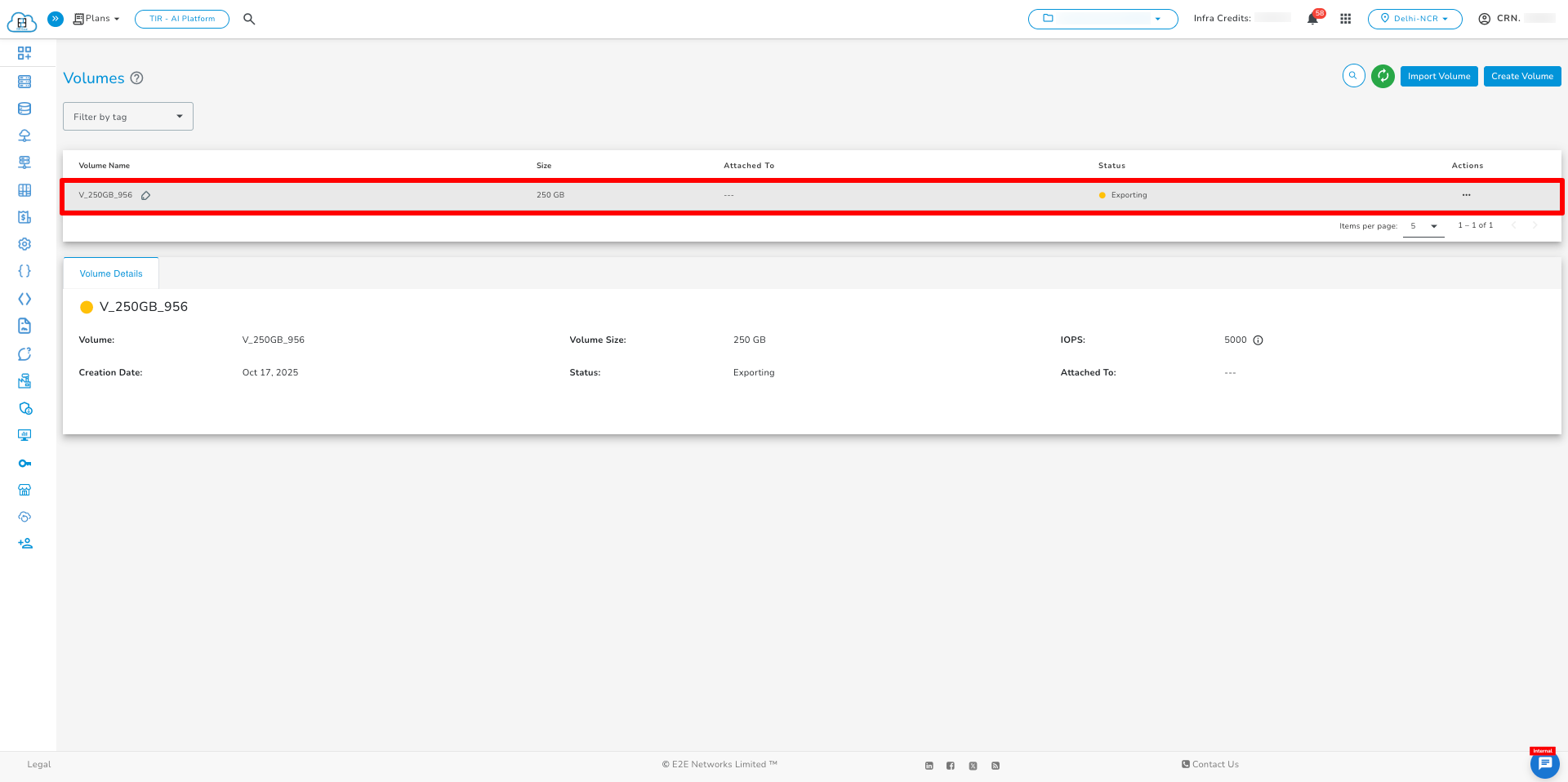
- The Exporting process will successfully started.
Supported Region for Volume Export
| Source Region | Destination Region |
|---|---|
| Delhi | Delhi |
| Delhi | Chennai |
Last updated on May 15, 2026.