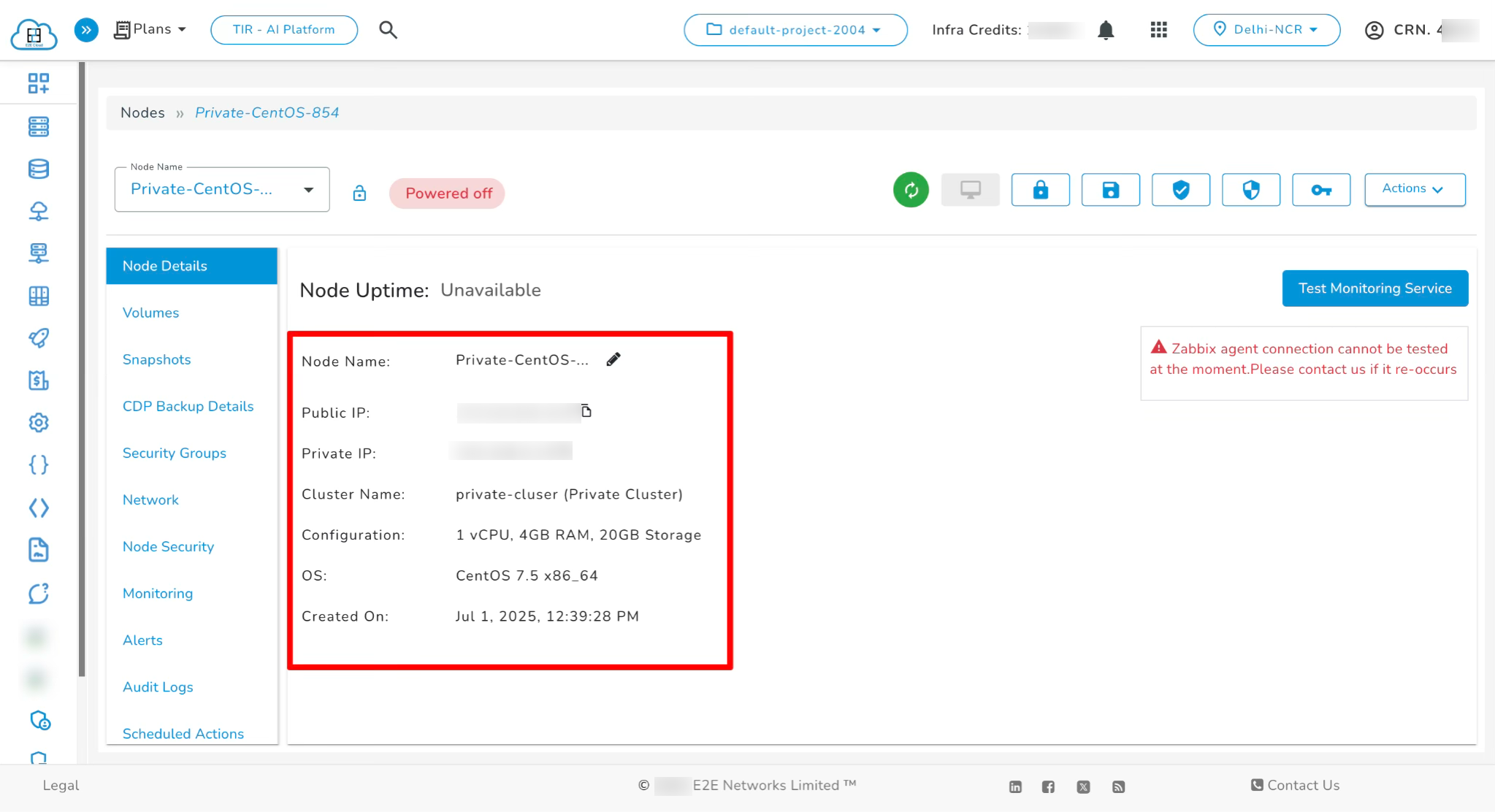
Node in Private Cluster
Node refers to a virtual machine (VM) instance that serves as a fundamental compute unit, providing dedicated CPU, memory, and storage resources. Nodes can be provisioned for a variety of workloads—ranging from general-purpose applications to high-performance computing (HPC), AI/ML, and GPU-intensive tasks. E2E offers different categories of nodes such as Compute Nodes and GPU Nodes, allowing users to choose the configuration best suited for their specific use case.
Steps to Create a Node in a Private Cluster
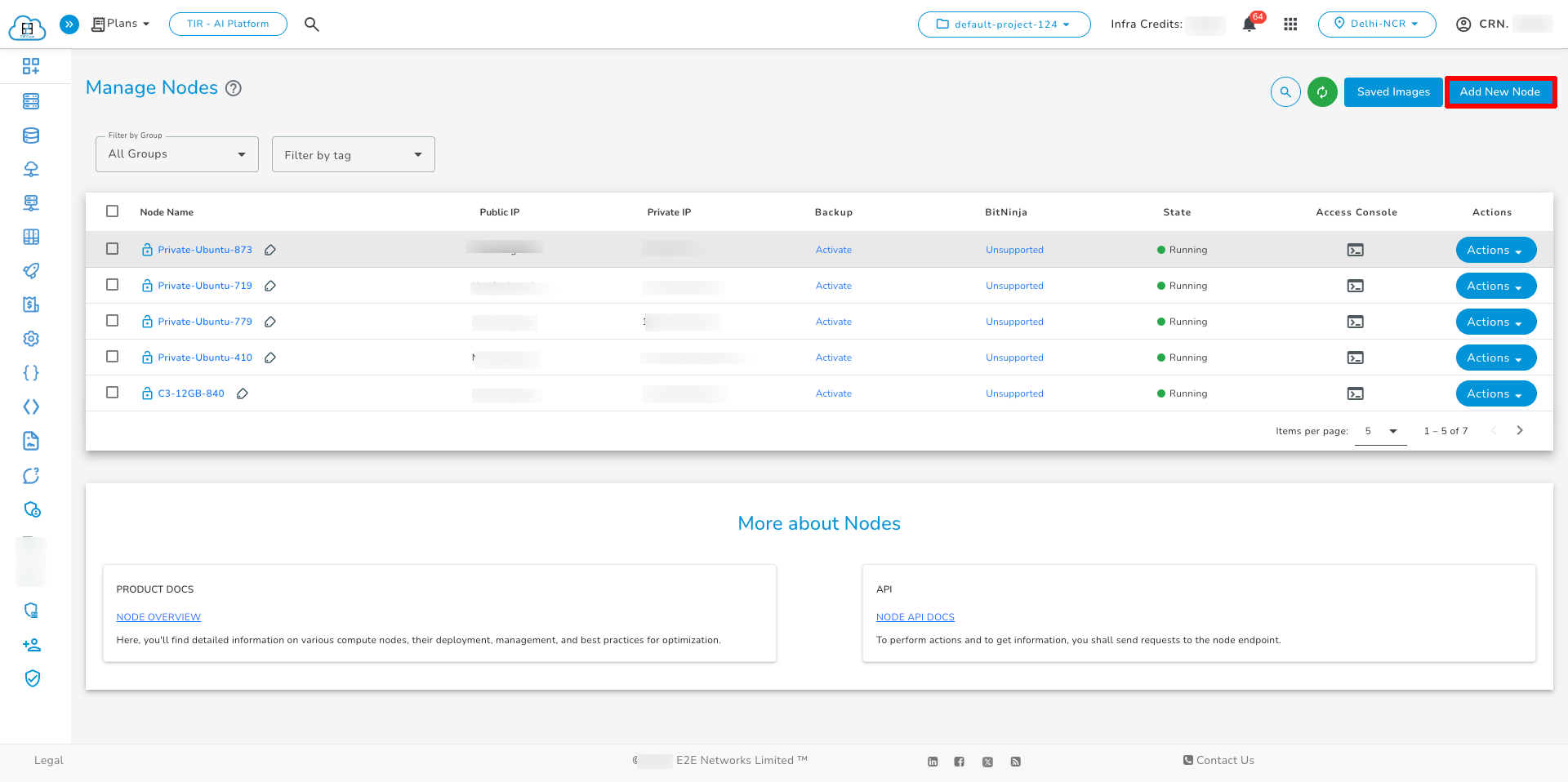
Go to the Nodes section and click on the Add New Node button.
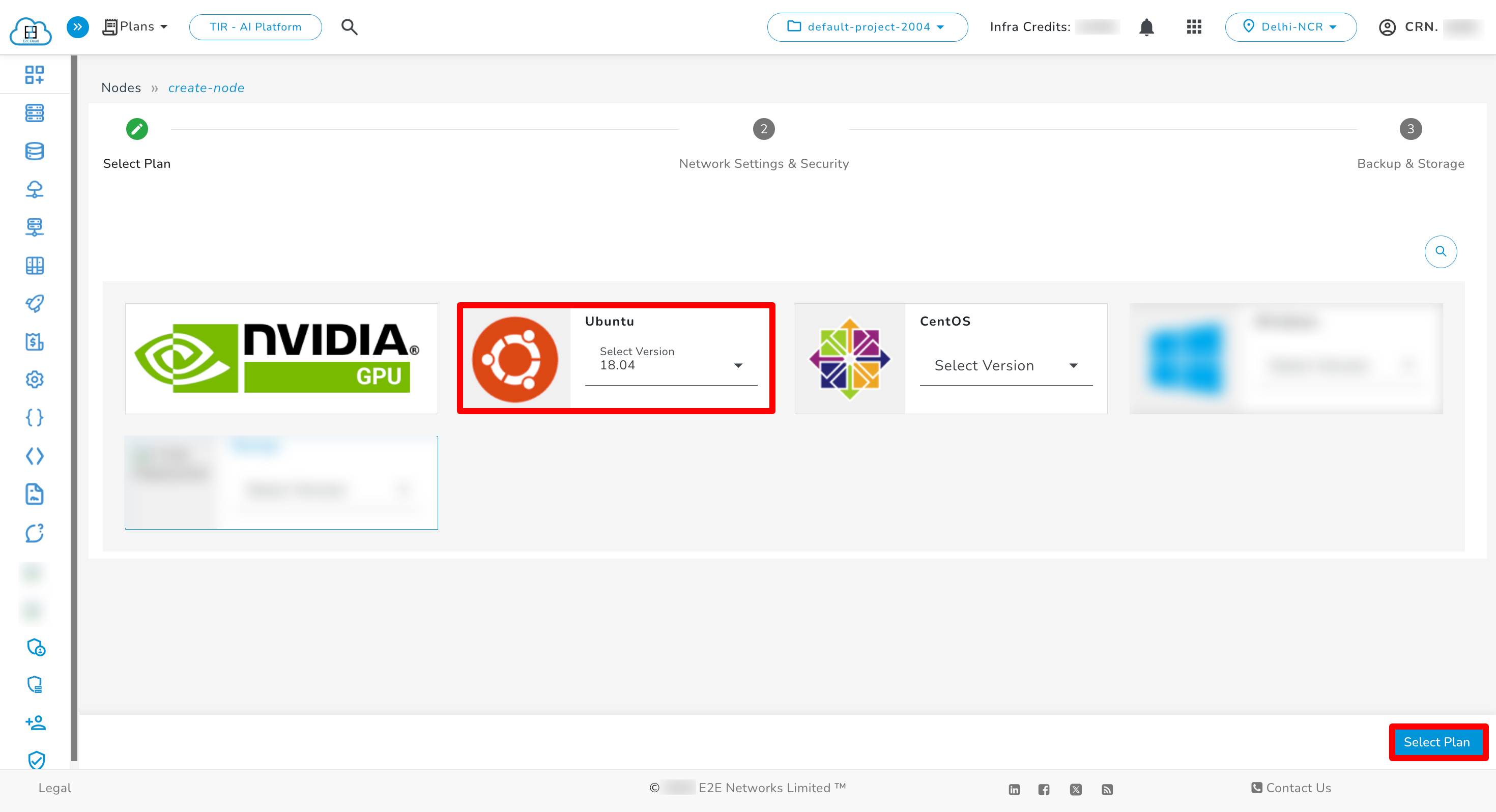
1. Choosing an OS
Select a suitable Operating System (OS) version for the node.
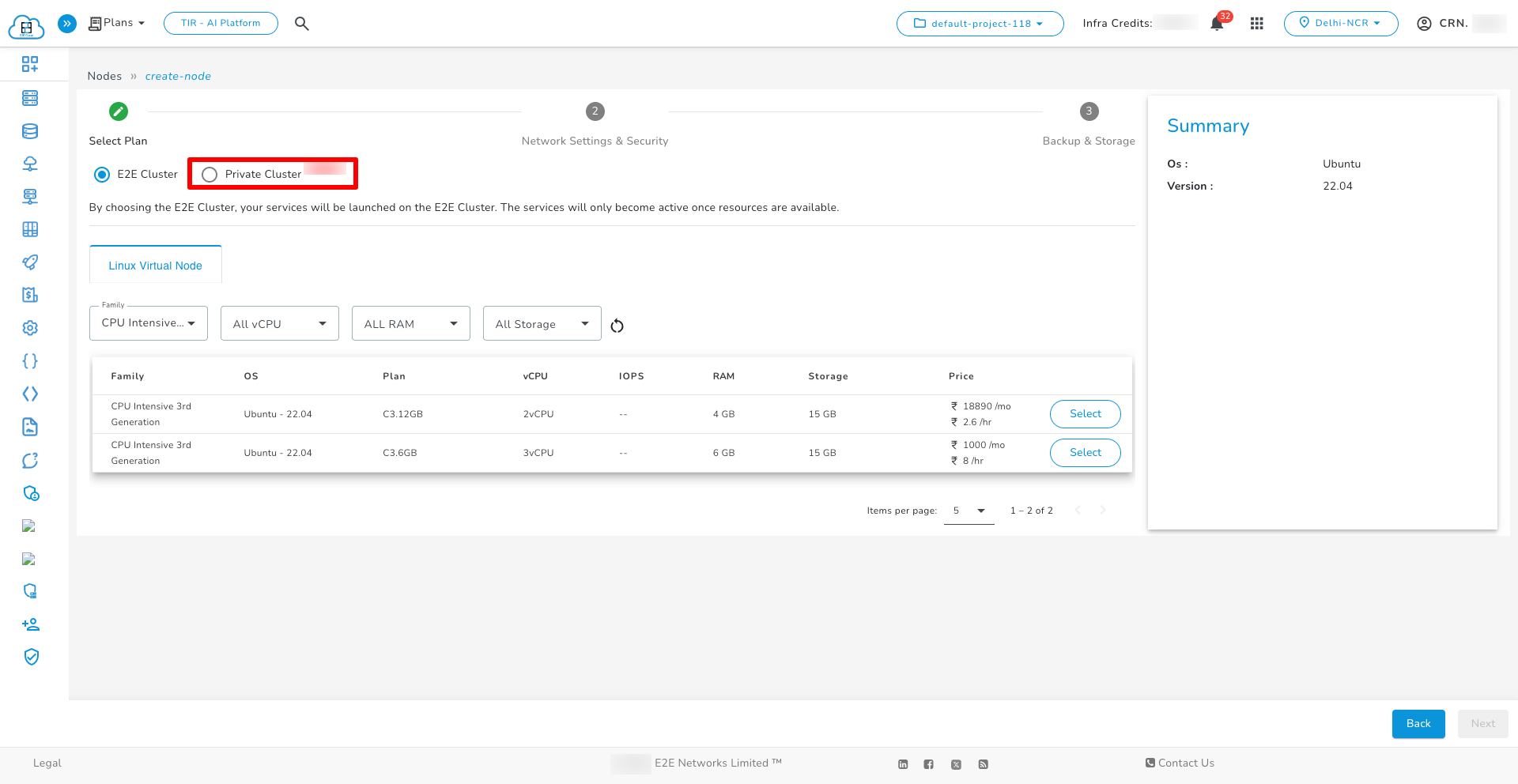
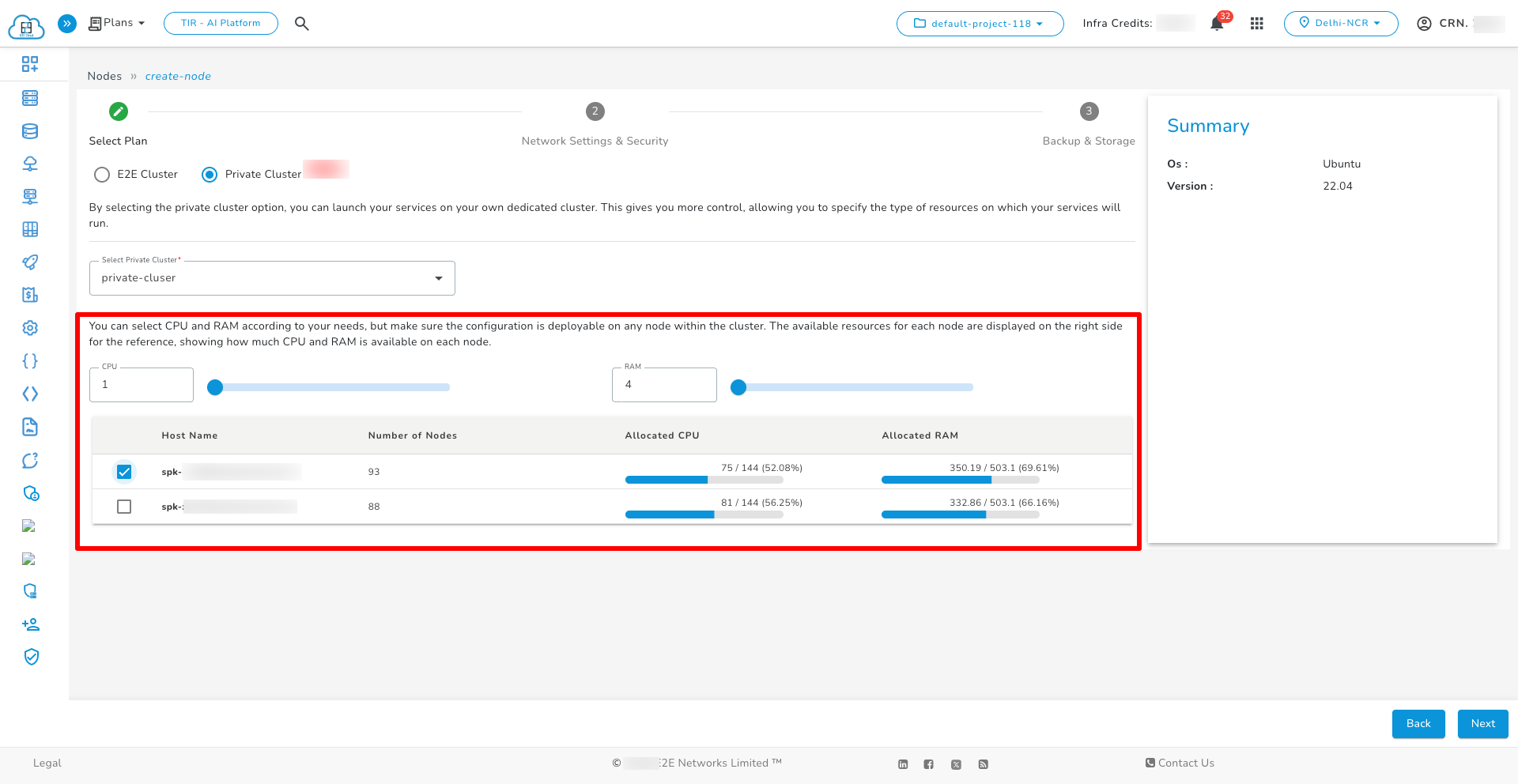
2. Select Private Cluster Option
Choose the “Private Cluster” button to ensure the node is deployed in a private environment.
3. Configure Resources
Select the desired vCPU count, memory (RAM), and host for node deployment.
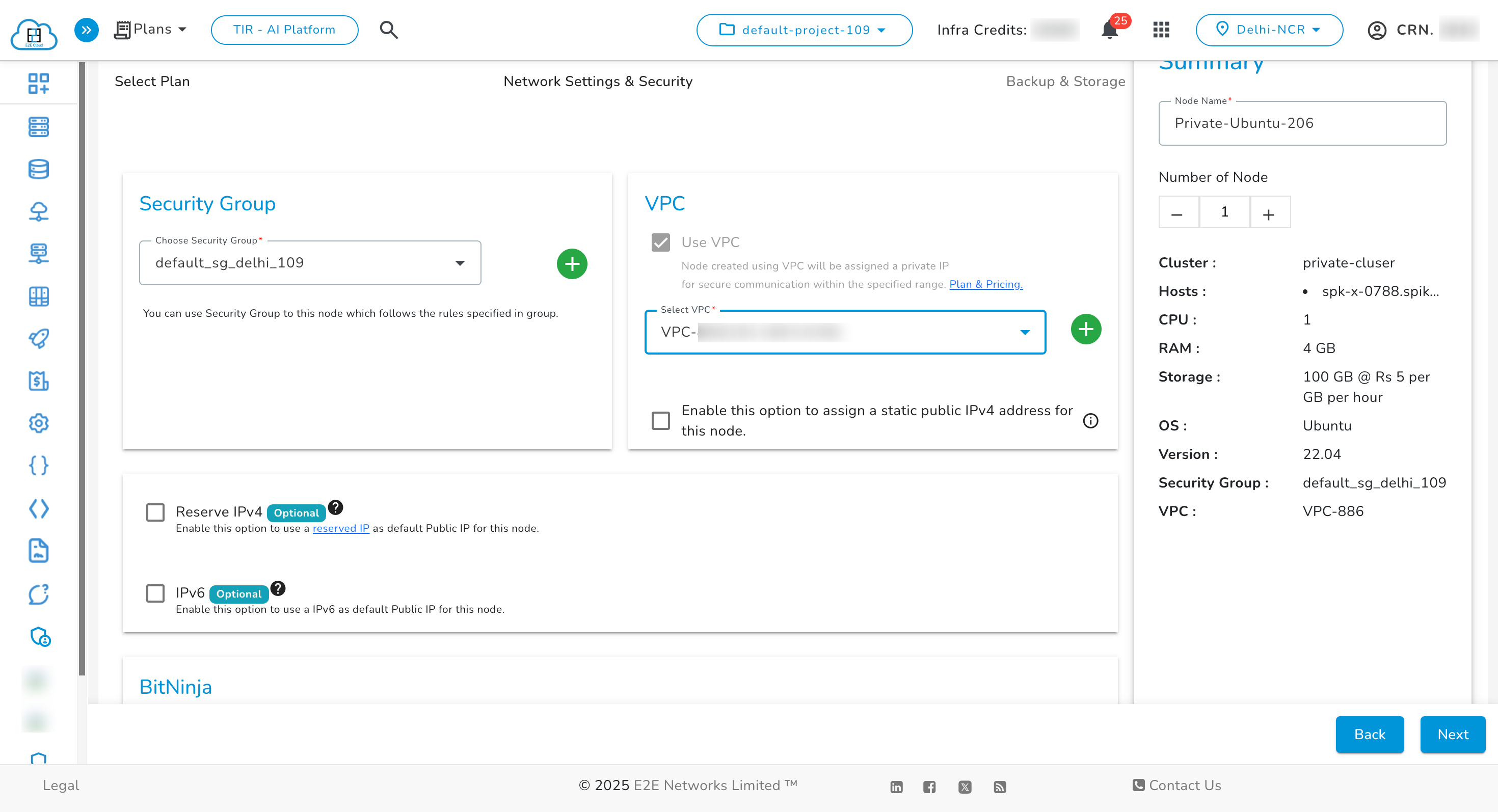
4. Network & Security Configuration:
In this step, attach VPCs (mandatory), reserve IPs, set security groups, add SSH keys, BitNinja, IPv6, and enable encryption as per requirements.
The vpc field is a required parameter when creating a node within a private cluster.
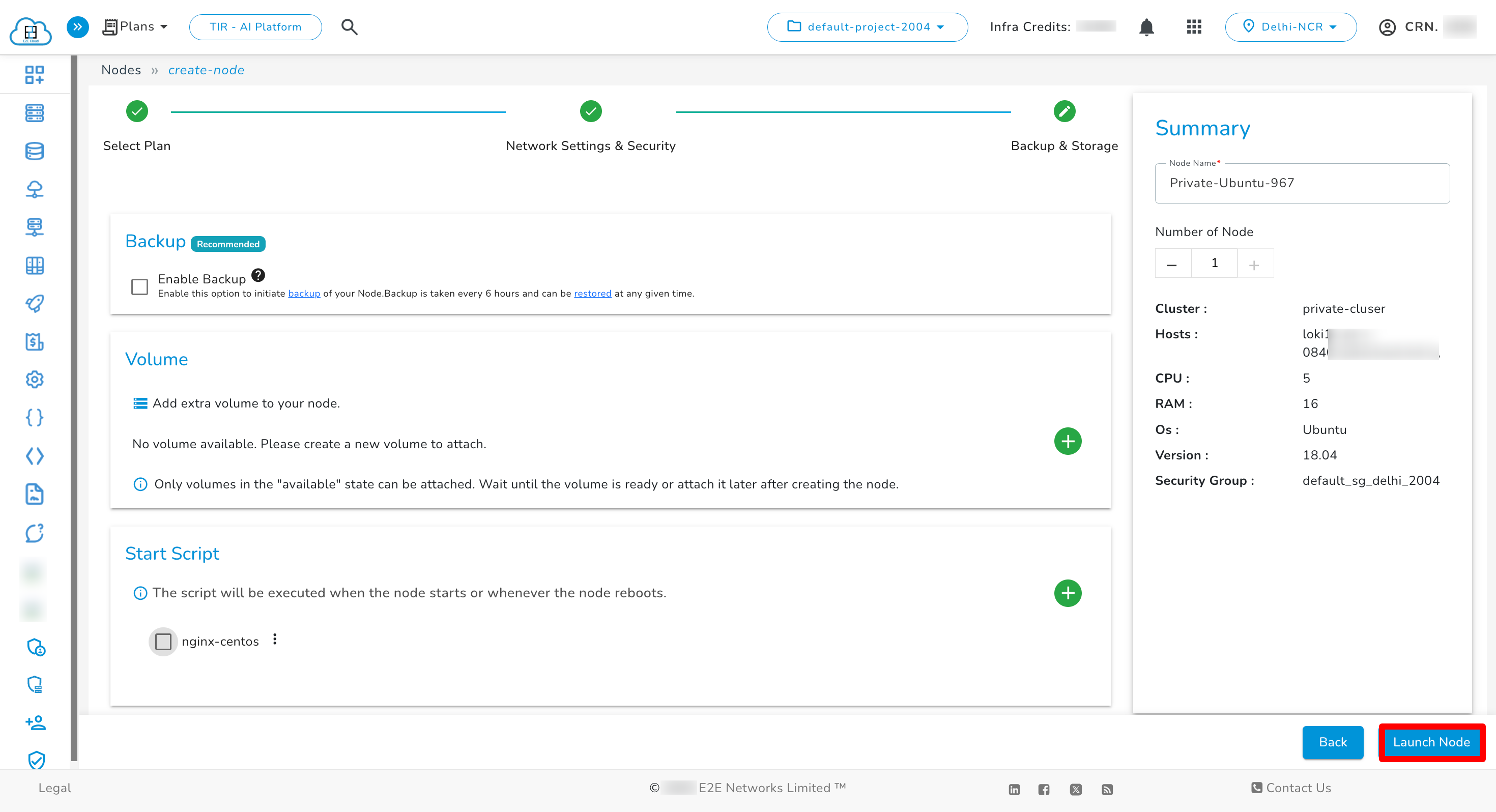
5. Configure Backup & Storage:
Choose the required Backup Services and Storage Options, then click “Launch Node” to complete deployment.
Node Listing
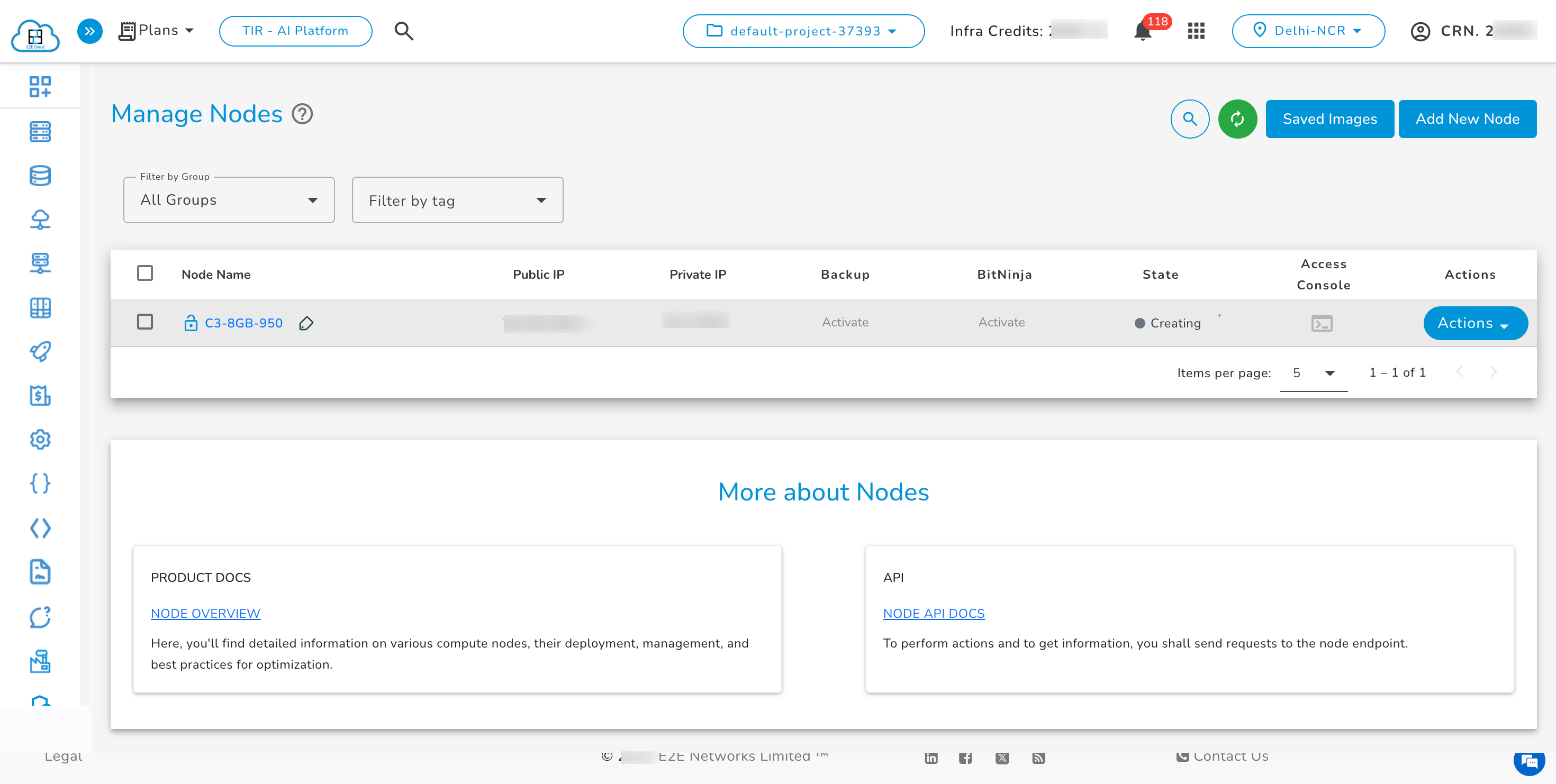
- Clicking on a Private Cluster node displays the associated cluster in the Node Details section under "Cluster Name", showing the private cluster name followed by "(Private Cluster)".