Whatsapp Notification Feature on Monitoring Alert
Introduction
We have introduced a feature that enables WhatsApp notifications within your account settings. By leveraging this feature, users can now receive critical monitoring alert notifications directly on their WhatsApp-enabled devices.when a predefined monitoring alert or the alert configured by the user for a specific service is triggered.
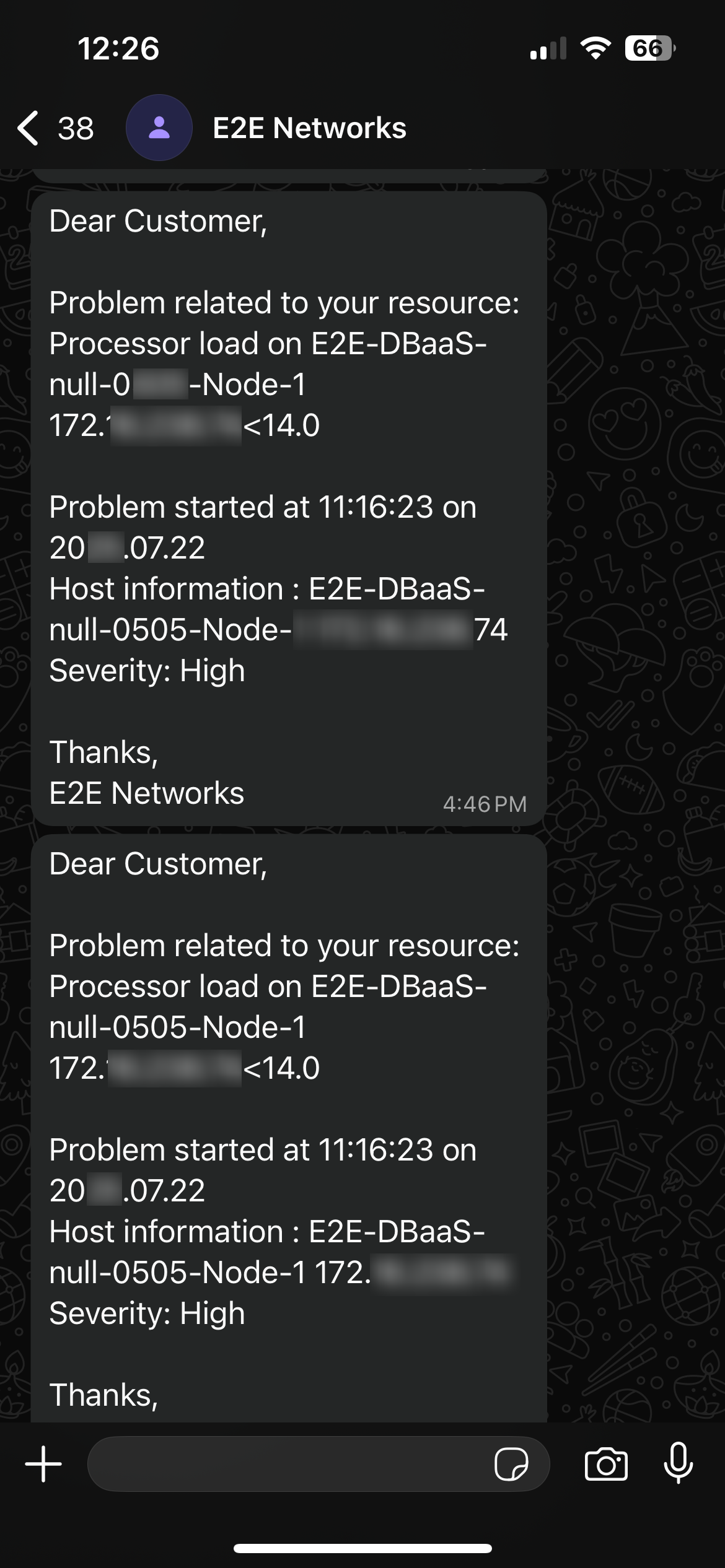
This functionality is designed to provide immediate alerts when a predefined monitoring condition for a specific service or resource is met. The message template is as follows:
Goal of This Feature
The primary goal of this feature is to provide timely and efficient monitoring alert notifications to our users via WhatsApp, ensuring they are promptly informed of system or service events that require attention.
Features
This feature operates based on the user's explicit preference for receiving monitoring alerts via WhatsApp:
-
User Enables Feature: If the user enables the WhatsApp notification feature, they will receive monitoring alerts on their registered WhatsApp number when an alert is triggered.
-
User Disables Feature: If the user disables the WhatsApp notification feature, WhatsApp notifications for monitoring alerts will cease, and they will not receive alerts via this channel.
Steps to Set Up Whatsapp Notification for Monitoring Alert
Step 1: Navigate to the MyAccount URL and log in using your registered credentials.
Step 2: After successfully logging in, click on the Settings button located in the side navigation bar, and then proceed to click on the General Settings button.
Step 3: Locate and click on the checkbox labeled "Monioring Alert".
Step 4: Click on the Save button to apply your changes.
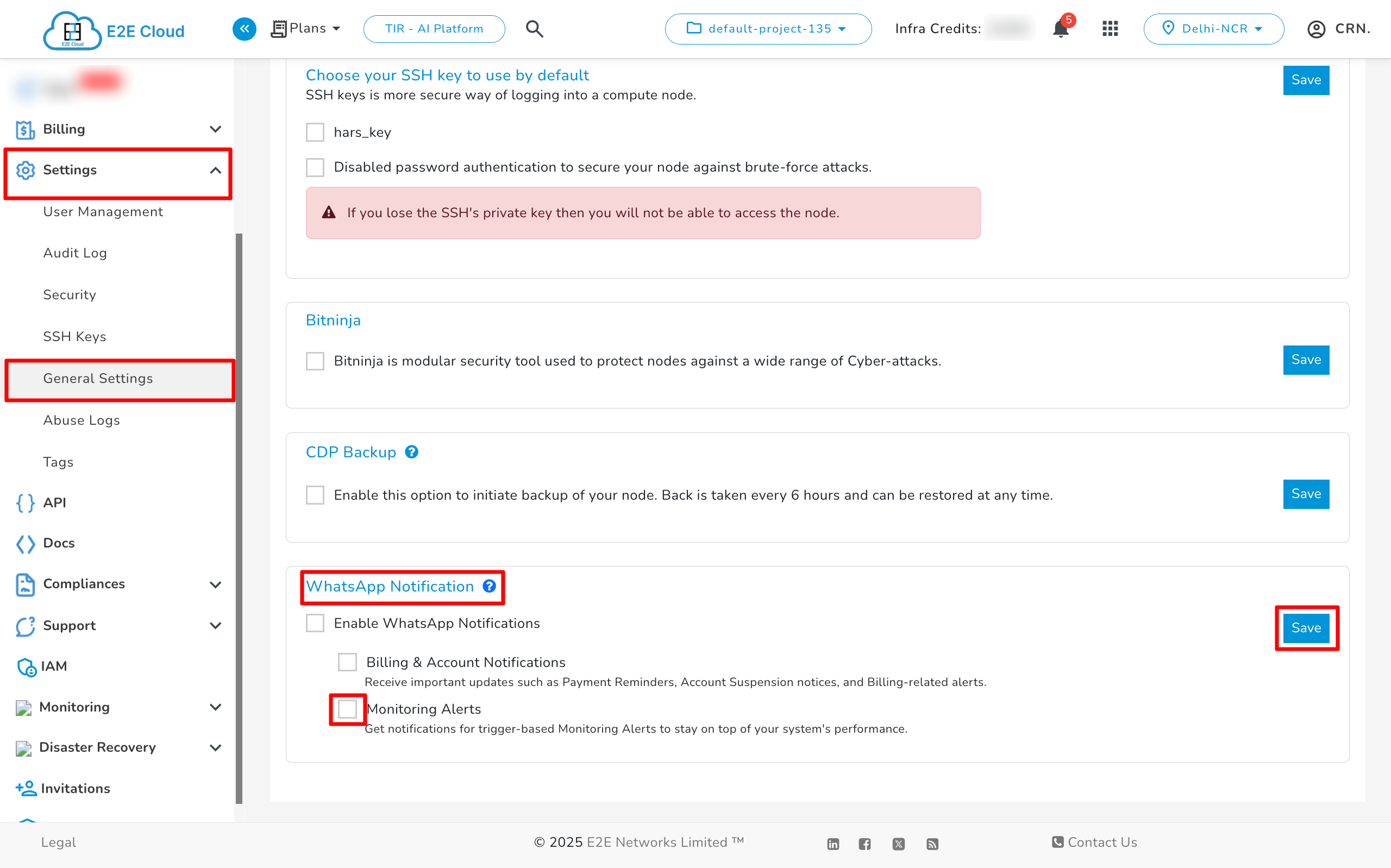
Note: Enabling the main WhatsApp notification checkbox will turn on WhatsApp alerts for both Billing & Account Notifications and Monitoring Alerts.
Step 5: After clicking on the Save button, the WhatsApp feature will be enabled, and the page will look like this:
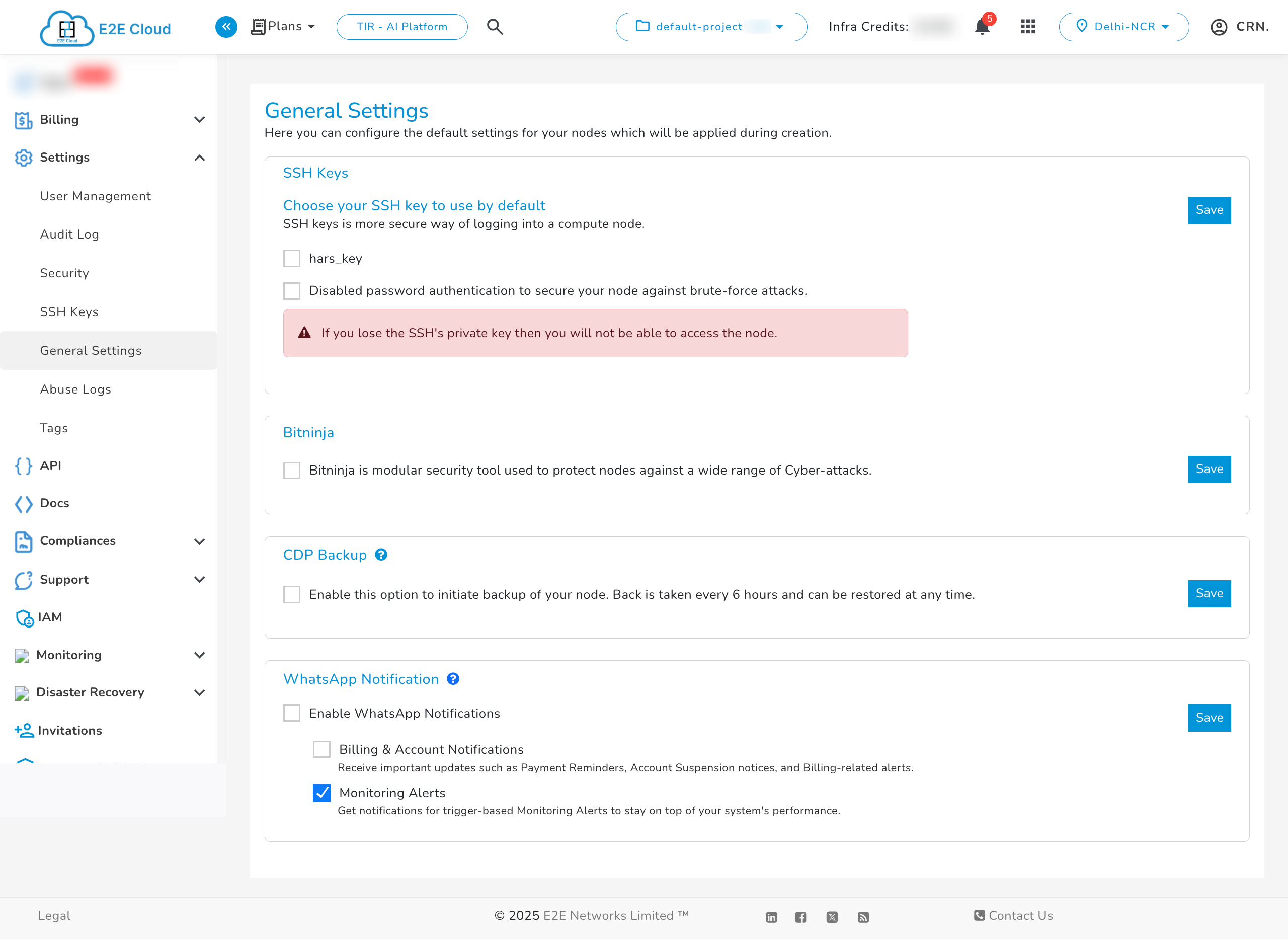
Step 6: If users wish to disable this feature at any point, they simply need to uncheck the "Enable WhatsApp Notification" box and click on the Save button. Once disabled, users will no longer receive monitoring alerts on WhatsApp.
If other users are added via IAM (Identity and Access Management), and user group is created and configure alerts and notification settings for the selected services within that group. Only users who have enabled WhatsApp notifications and are part of the configured user group will receive alert messages. Users who have disabled WhatsApp notifications will not receive any WhatsApp alerts.